

Most mechanical keyboards on the market are designed with Windows as the default layout, and Mac support is often an afterthought, a few remapped keys and a compatibility note buried in the specs. A genuinely good wireless mechanical keyboard for Mac goes further than basic compatibility, and understanding what separates the two matters before spending money on a keyboard that technically works but never quite feels native.
The Difference Between "Mac Compatible" and "Built for Mac"
Most keyboards claiming Mac compatibility simply work, keys register, characters appear, but a genuinely Mac-native experience goes further than that baseline. It means having the right modifier key layout (Command and Option in their expected positions, rather than a remapped Windows layout), correctly functioning media keys, and having macOS-specific shortcuts actually behave the way Mac users expect rather than needing manual reconfiguration.
This is one of the areas Keychron consistently gets highlighted for. Keychron is one of the few mechanical keyboard brands offering genuine macOS media keys, F1 through F12 configured to match conventional Mac systems, rather than a Windows function row with Mac symbols printed on top. For anyone who has used a "Mac compatible" keyboard that technically works but never quite feels right, this distinction is often exactly what was missing.
Connectivity That Suits How Mac Users Actually Work
Mac users frequently work across more than one Apple device through a day, a MacBook, an iPad, sometimes an iPhone for reference or quick typing, and a wireless mechanical keyboard for Mac should genuinely support that workflow rather than working with just one device at a time.
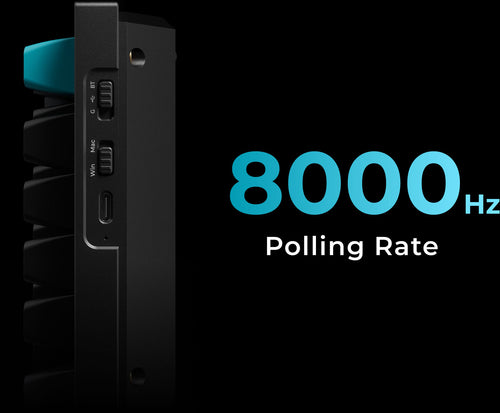
Multi-device Bluetooth pairing, letting a single keyboard connect to up to three devices and switch between them, is where this matters most in practice. Keychron's wireless range supports this, alongside a 2.4 GHz option and USB-C wired fallback, which covers the range of ways Mac users tend to move between devices across a working day without needing a separate keyboard for each one.
Layout Considerations Specific to Mac Users
Beyond the modifier keys, layout choice matters slightly differently for Mac users than for Windows-focused buyers. Many Mac users don't rely on a numpad day to day, making a TKL or 75% layout, which removes the numpad and brings the trackpad or mouse closer to centre, a genuinely practical fit rather than just a space-saving compromise.
For anyone using a MacBook alongside an external keyboard, matching the keyboard's low-profile options can also help create a more consistent height and feel between the built-in keyboard and the external one, reducing the adjustment when switching between typing on the laptop directly and typing on the external keyboard.

Software Compatibility Genuinely Matters
A keyboard's customisation software needs to actually run properly on macOS, not just technically launch. Keychron keyboards supporting QMK and VIA allow full key remapping and macro creation through an open, cross-platform standard rather than a Windows-first application with limited Mac functionality bolted on, which matters if remapping keys or setting up shortcuts is part of why a mechanical keyboard is being considered in the first place.
Build and Feel for Long Typing Sessions
Mac users considering a mechanical keyboard are often moving away from a MacBook's built-in keyboard or a Magic Keyboard, both of which have a notably shallow, low-travel feel. For anyone making that switch, a keyboard with a genuinely satisfying, consistent typing feel, aluminium frame options, quality stabilisers, PBT keycaps, tends to make the difference between an upgrade that feels worthwhile and one that feels like an unfamiliar downgrade.
What to Actually Look for in a Wireless Mechanical Keyboard for Mac
-
Genuine macOS media key layout, not a relabelled Windows function row
-
Multi-device Bluetooth pairing across MacBook, iPad and iPhone
-
A layout, TKL or 75%, that suits how most Mac users actually work day to day
-
QMK/VIA software that runs properly on macOS, not a limited Mac version
-
A build quality and typing feel that genuinely improves on a MacBook or Magic Keyboard
Frequently Asked Questions
Do I need a specific "Mac version" of a mechanical keyboard?
Not necessarily a separate model, but it's worth checking that the keyboard includes genuine Mac-layout keycaps and media key support, rather than only working through manual remapping.
Will a wireless mechanical keyboard work with an iPad as well as a MacBook?
Yes, provided it supports multi-device Bluetooth pairing. This allows switching between a MacBook, iPad and other Apple devices without re-pairing each time.
Is a mechanical keyboard actually better than a MacBook's built-in keyboard?
For extended typing sessions, many users find a mechanical keyboard more comfortable due to greater key travel and a more consistent, tactile keypress, though this comes down to personal preference.
What layout works best for Mac users?
A TKL or 75% layout suits most Mac users well, since many don't rely on a numpad for daily work, and the more compact size brings the trackpad or mouse closer to centre.
Does QMK/VIA work properly on macOS?
Yes, QMK and VIA are cross-platform standards, and Keychron keyboards supporting them offer full remapping and macro functionality on macOS, not a reduced version compared to Windows.
Can I use the same wireless keyboard with both a Mac and a Windows PC?
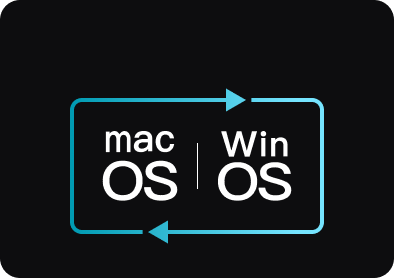
Yes, most Keychron keyboards include swappable keycaps and a physical switch for toggling between Mac and Windows modes, so the same keyboard works properly across both.