

Which Keychron Keyboard Is Actually the Best?
There is no single best Keychron keyboard. That might sound like a strange way to start a buying guide, but it is the honest answer — and understanding why will help you make a much better decision than any top ten list ever could.
Keychron makes keyboards for writers, programmers, designers, gamers and everyday typists. Some people want something compact that travels well. Others want a full layout with a numpad and every function key in place. Some care deeply about switch feel, others about wireless range or battery life. The best Keychron keyboard is the one that fits how you actually work.
This guide breaks down the Keychron range clearly so you can figure out which one that is.
Understanding Keychron's Product Lines
Keychron organises its keyboards into a few distinct families, each designed with a different type of user in mind.
The K series is where most people start. These are Keychron's entry point keyboards, offering solid build quality, wireless connectivity and hot-swappable switches at an accessible price point. They cover a wide range of layouts from compact 65% all the way up to full size with numpad, and they work across Mac, Windows and iOS out of the box.
The Q series steps things up considerably. These are gasket-mounted keyboards with full aluminium frames, designed for people who want a premium typing experience with deeper customisation. They are heavier, more substantial and aimed at enthusiasts who care about sound profile and build quality as much as functionality.
The V series sits between the two, offering some of the premium construction of the Q series at a slightly lower price point.
Choosing by Layout
Layout is probably the most important decision you will make when choosing a keyboard, because it affects how you work every single day.
A full size keyboard includes everything including the numpad on the right. This suits people who work heavily with numbers, spreadsheets or accounting software. Keychron's Q6 Pro and K10 Pro cover this layout well.
A tenkeyless layout removes the numpad but keeps all function keys and the navigation cluster. This is one of the most popular layouts because it frees up desk space for your mouse without sacrificing much functionality. The Keychron K8 Pro and Q3 are strong options here.
A 75% layout is similar to tenkeyless but more compact, squeezing the navigation keys closer together to save even more space while keeping everything you need. The Keychron K2 Pro and Q2 Pro are well regarded in this category.
A 65% layout removes the function row but keeps arrow keys. Popular with minimalists and people who have learned keyboard shortcuts. The K6 Pro and Q2 are worth looking at here.
A 60% layout is the most minimal, removing function keys and arrow keys entirely. These suit experienced typists who prefer the smaller footprint and are comfortable using function layer shortcuts. Keychron's Q60 covers this.
Choosing by Switch Type
Keychron keyboards come with a choice of switch types, and this affects how typing actually feels and sounds day to day.
Linear switches have a smooth, consistent keystroke from top to bottom with no tactile bump. They are quiet and fast, popular with gamers and people in shared workspaces. Keychron's red switches fall into this category.
Tactile switches have a noticeable bump partway through the keystroke that gives you physical feedback when the key registers. They are popular with typists who want to know their keystrokes are registering without bottoming out every key. Brown switches are the most common tactile option.
Clicky switches have the same tactile bump as tactile switches but with an audible click at the actuation point. They are satisfying to type on but loud, so they are not ideal for open offices or shared spaces. Blue switches are the most recognisable clicky option.
Most Keychron keyboards are available with hot-swappable switch sockets, meaning you can pull out the switches and replace them without soldering. This is particularly useful if you want to try different switches without committing to a new keyboard.
Choosing by Connectivity
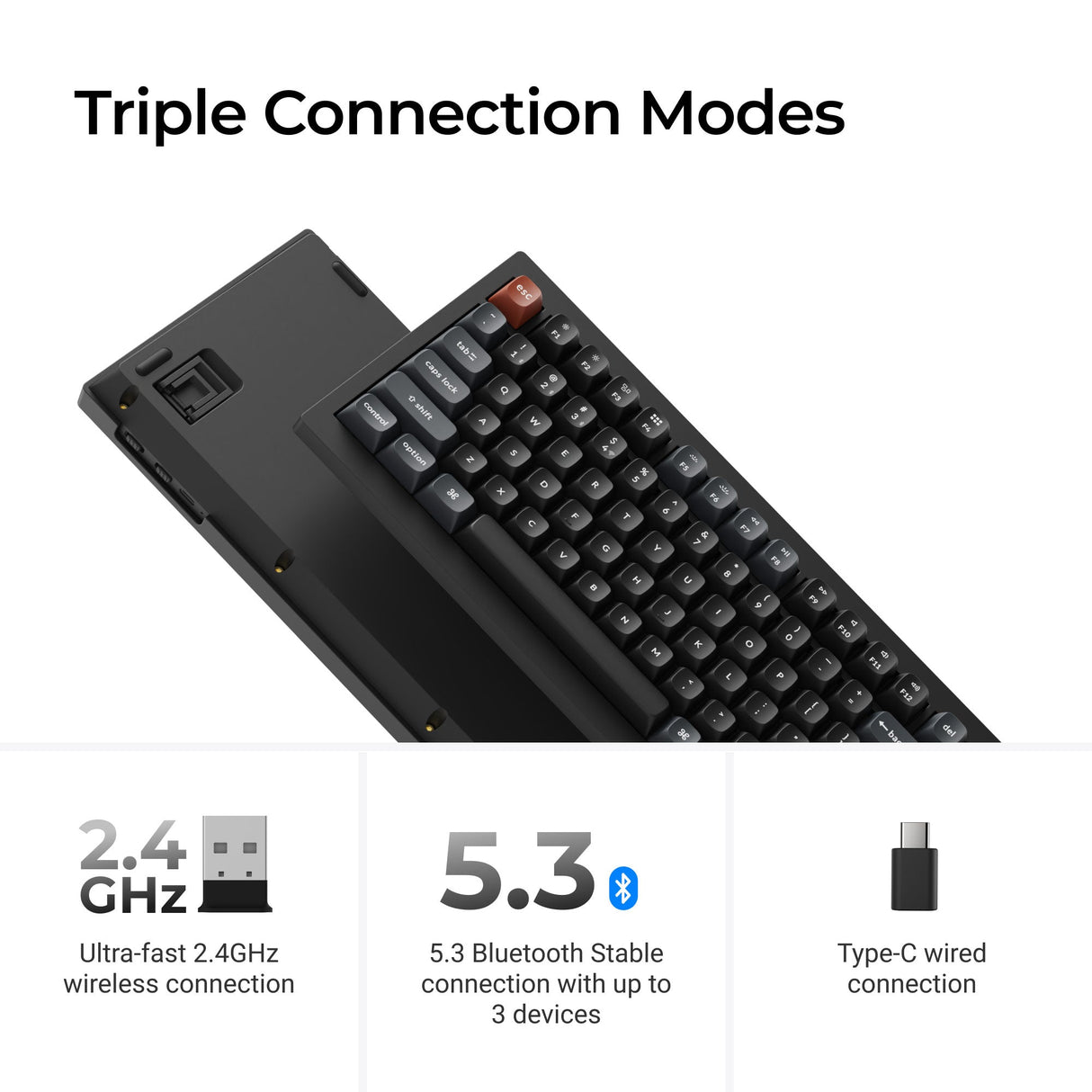
Most Keychron keyboards offer both wired USB-C and wireless Bluetooth connectivity, with the ability to pair to up to three devices simultaneously and switch between them with a key combination.
This makes them practical for people who move between a desktop, laptop and tablet throughout the day. If you work across multiple devices, wireless multi-device connectivity is genuinely useful rather than just a marketing feature.
Battery life varies across models but most K series keyboards offer several weeks of use on a charge with backlighting off, and several days with RGB lighting running.
Mac and Windows Compatibility
All Keychron keyboards ship with keycaps and key mappings for both Mac and Windows. There is a physical switch on most models that toggles between operating systems, and the keyboards include alternative keycaps so the legends on the keys match whichever system you are using.
This makes them a genuinely good option for people who switch between operating systems, which is increasingly common in workplaces that mix Mac and Windows machines.

Which Keychron Is Right for You
If you want a reliable everyday keyboard with wireless connectivity, a compact layout and good value, the K series is the right place to start. The K2 Pro at 75% and the K8 Pro at tenkeyless are two of the most consistently recommended models in the range.
If you want a premium typing experience with a heavier build, better sound dampening and more customisation potential, the Q series is worth the additional investment. The Q2 Pro and Q3 Pro are popular starting points.
If portability and low profile design matter to you, Keychron's low profile range including the K3 Max and K1 Max offers a slimmer typing experience without sacrificing wireless connectivity or switch quality.
Frequently Asked Questions
Are Keychron keyboards good for beginners? Yes. The K series in particular is designed to be approachable. Hot-swappable switches mean you can experiment with different switch types without technical knowledge, and the out of the box Mac and Windows support means setup is straightforward.
What is the difference between the K series and Q series? The K series uses a plastic or mixed frame and is aimed at everyday users who want solid quality at an accessible price. The Q series uses a full aluminium frame with gasket mounting, which gives a more premium sound profile and typing feel. The Q series costs more and is heavier.
Can I use a Keychron keyboard with my iPad or phone? Yes. Most Keychron keyboards support Bluetooth connectivity and work with iOS and Android devices as well as Mac and Windows computers.
Do Keychron keyboards come with keycaps for both Mac and Windows? Yes. All Keychron keyboards include keycaps for both operating systems and a physical switch to toggle between them.
How long do Keychron keyboards last? Keychron uses switches rated for 50 to 100 million keystrokes depending on the model. With normal daily use, a Keychron keyboard should last many years without any issues.
The Honest Answer
The best Keychron keyboard is the one that matches your layout preference, switch feel and budget. Most people who are buying their first mechanical keyboard will be well served by a K series model. People who already know they care about typing feel and want something they can tune and customise will find the Q series worth the extra investment.
If you are still unsure, the most common starting point is the K2 Pro or K8 Pro. Both are well made, genuinely versatile and give you a clear sense of what Keychron does well.